
Context
Developing the world's first interchangeable tennis sensor from scratch
In partnership with Zepp Labs and HEAD, we built the world's first interchangeable tennis sensor - the Head Tennis Sensor - and developed the companion software to provide players and coaches with real-time data analysis and training tools that revolutionized the way people approach tennis training.
My Role
I led the UX&UI design of the entire mobile app. Additionally, I took the initiative to conduct user research and prototype testing to inform design iterations. I also established the first design system, maintaining a unified design language across hardware and software.
Outside of design, I collaborated with various cross-functional teams, including hardware engineers, software engineers, algorithm engineers, product marketing, and program managers to launch the final product.

Business Needs
Revolutionizing Tennis Gear with New Technology

As a traditional sports equipment manufacturer, Head aimed at revolutionizing tennis gear with innovative technology. Through digital transformation, HEAD was likely to position itself as the leader in Tennis gear industry, driving perception and increasing sales.
Business Opportunity
Leveraging HEAD's Network with Tennis Coach & Pro Players
• With the world's largest tennis coach network, Head has a strong tie with tennis players and contributes significantly to their sales. How might we leverage this coach and player relationship to make the Head Tennis Sensor more useful?
• Head has also signed multiple world-famous pro tennis players. How might we take advantage of their star power to increase awareness and drive usefulness for the product?
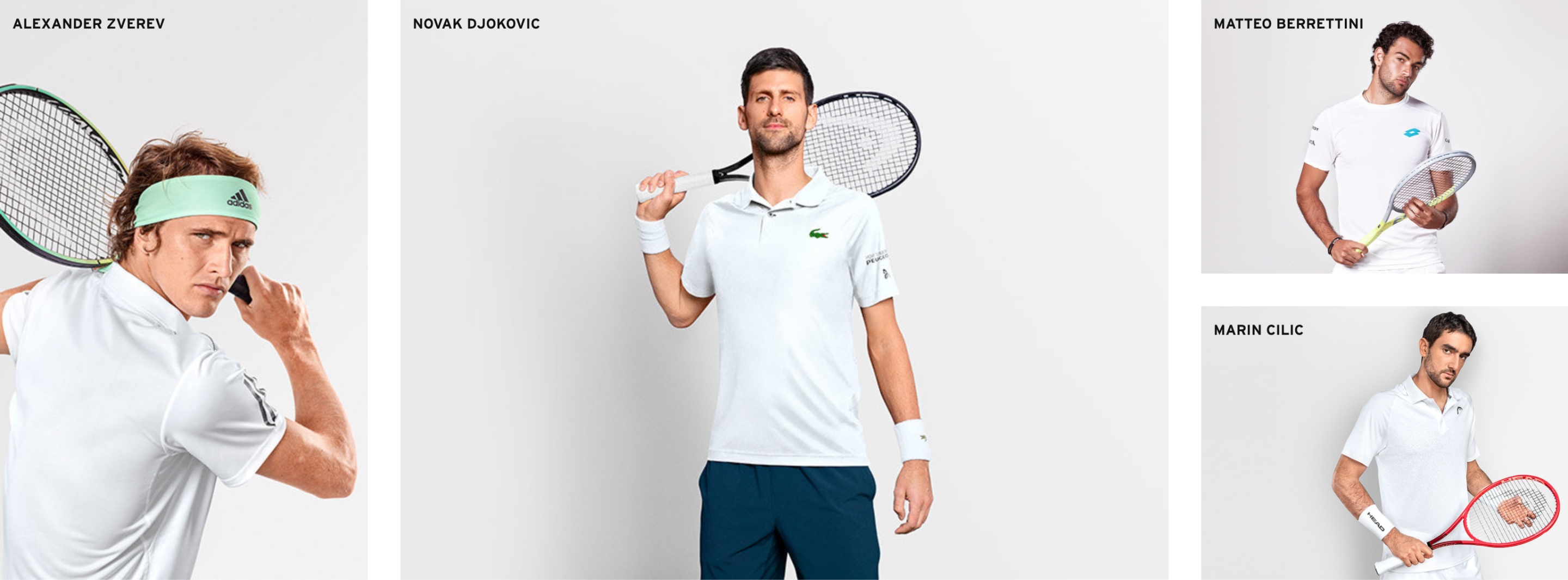
Image from HEAD Website
Problem Statement
As a tennis player, I struggle to evaluate the quality of my tennis strokes, making it difficult to gauge my improvement.
RESEARCH
Tennis Is NOT the Same Sport for Everyone
Questions we brought into the research session:
• Who are the major user groups, and what are their specific improvement needs?
• How can data be leveraged to improve tennis performance?
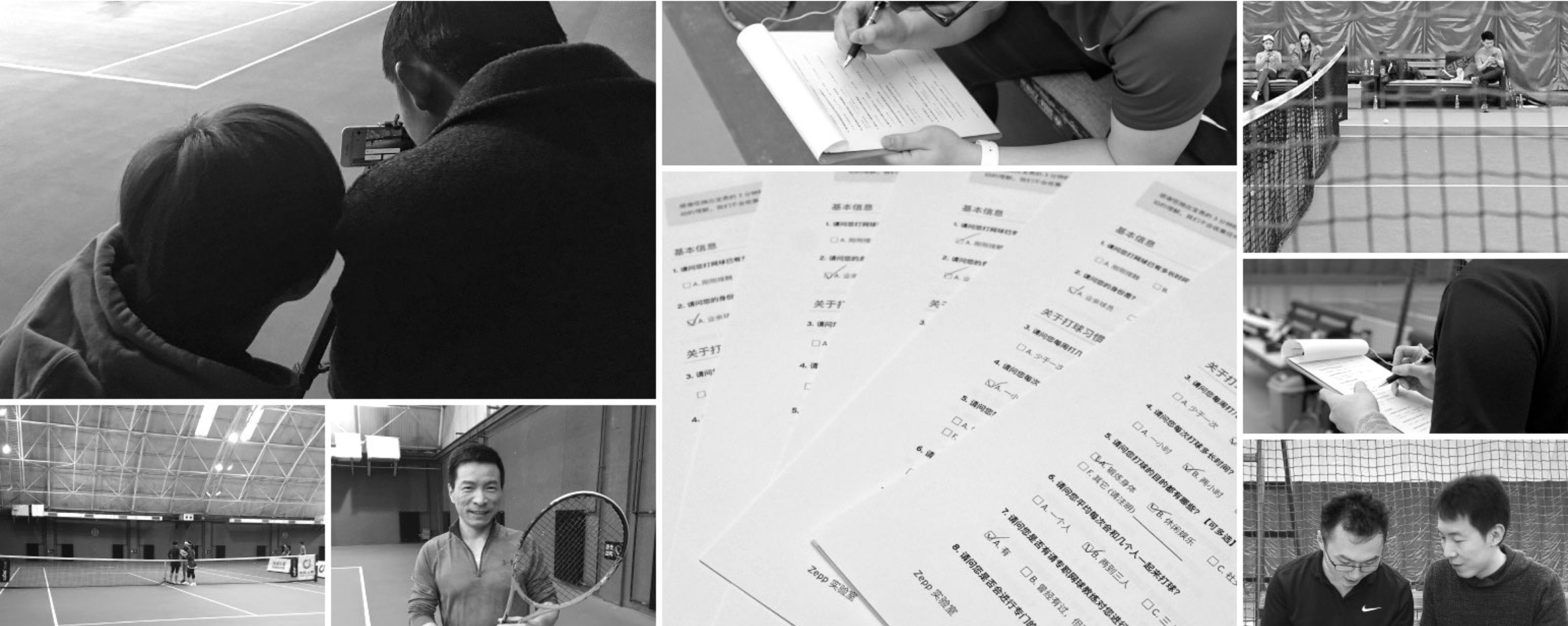
Field Research Image
KEY INSIGHT FROM RESEARCH - 1
Personalizing Tennis Improvement
Our research identified three primary user groups with distinct motivations and approaches to skill improvement in tennis:
Beginners
• Spend most of their time learning.
• Motivated to learn fundamentals to start playing with others.
• Coaches' feedback is their primary source for improvement.
Hobbyists
• Spend most of their time playing.
• Motivated to have fun, stay healthy, and socialize.
• Improve through self-study or playing with others.
Rating Seekers
• Spend most of their time training and competing.
• Motivated to improve their ratings.
• Rely on coaches' feedback or self-study to improve skills.
KEY INSIGHT FROM RESEARCH - 2
Connecting Data to Improvements
Through our analysis of user behaviors on tennis improvement, we identified three major ways data could help tennis players of all levels improve:
• Enhancing feedback quality.
• Revealing hard-to-notice facts.
• Providing meaningful insights.

How Data Related to Improvement
Design Principles

Responsive
Our designs should feel responsive, allowing users to see immediate feedback and make real-time adjustments.

Intuitive
Our designs should prioritizes simplicity and clarity, allowing users to get the information they need quickly, particularly in data-intensive experiences.

Non-intrusive
Our designs should be subtle and unobtrusive, allowing users to focus on their task without distraction, while still providing the support when they need it.
THE SOLUTION
PLAY, TRAIN, and COMPETE
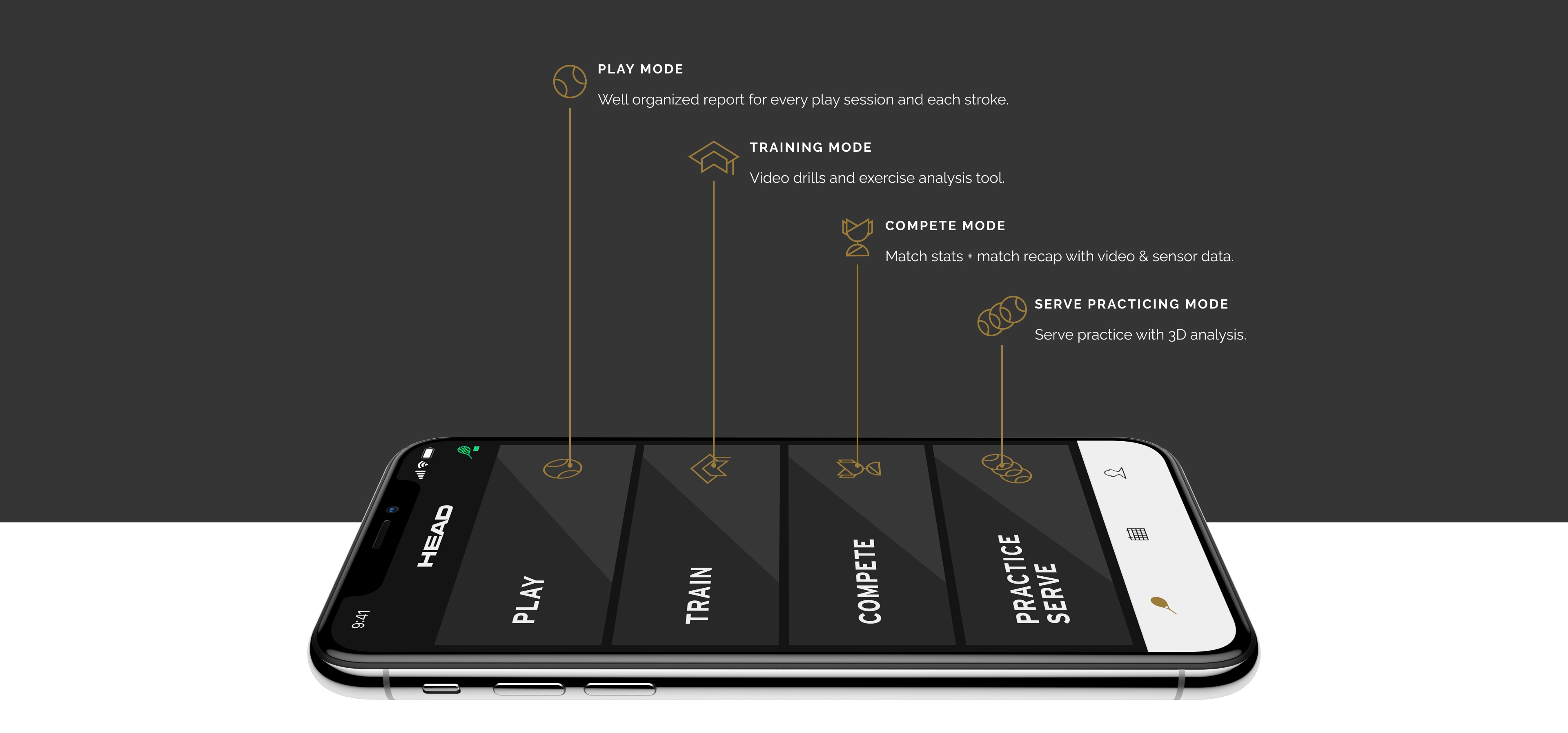
To cater to the needs of different user groups, we structured the app into four key modes that align with the major tennis scenarios. These modes are designed to provide an end-to-end experience that helps players improve within each scenario.
DESIGN PROCESS
Play Mode Design Deep Dive
Our main target user group for the Play Mode was Hobbyists, who prioritize having fun and staying healthy while also engaging in light training and informal competition while playing. We focused on developing the following three scenarios:
Players receive real-time feedback from their coaches on the court.
Players can check their performance and progress over time.
Players can leave their phones off the court, removing distractions.
DESIGN PROCESS
Scenario 1: Instant Feedback for Coached Players
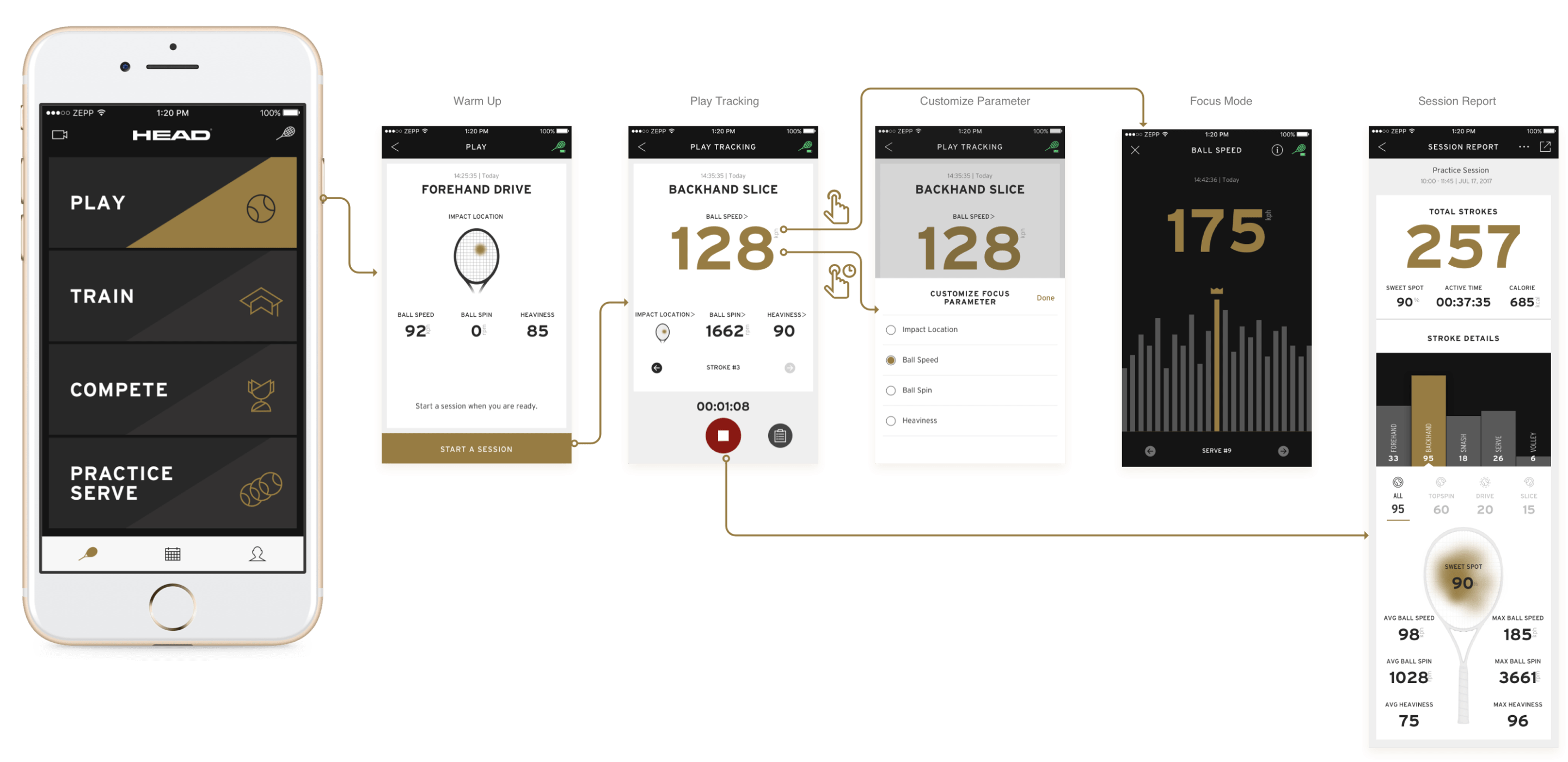
The Play Mode includes a data dashboard that enables players to receive live stroke data feedback, while coaches provide immediate insights and recommendations.

User Needs
• Easily readable data presentation.
• Deeper insights on trends and consistency.
• Quick start and unobtrusive interaction.
Design Iterations
Initially, we designed a popover UI to display the stroke data, but user testing revealed players preferred a persistent UI to ensure the app was always ready for use. Coaches also requested the ability to focus on different metrics for each stroke type. As a result, we designed the dashboard with the most valuable metric at the top of the visual hierarchy, and users can switch to other metrics with ease. We also provided deeper insights into data trends and consistency through a dedicated page for each metric.

End Prototype
• The data refreshes after each stroke with lively animations.
• Users can tap on any metric for deeper insights and tap-and-hold to change the focused metric.
• Players can begin recording a session without disrupting the live data readout.
DESIGN PROCESS
Scenario 2: Check Staged Performance
This scenario involves players reviewing their recorded play sessions to check their overall performance.

User Needs
• Ability to control the starting and ending points of a session.
• Capability to review data during the session without ending it.
• Clear and easy-to-read session report.
Design Iterations
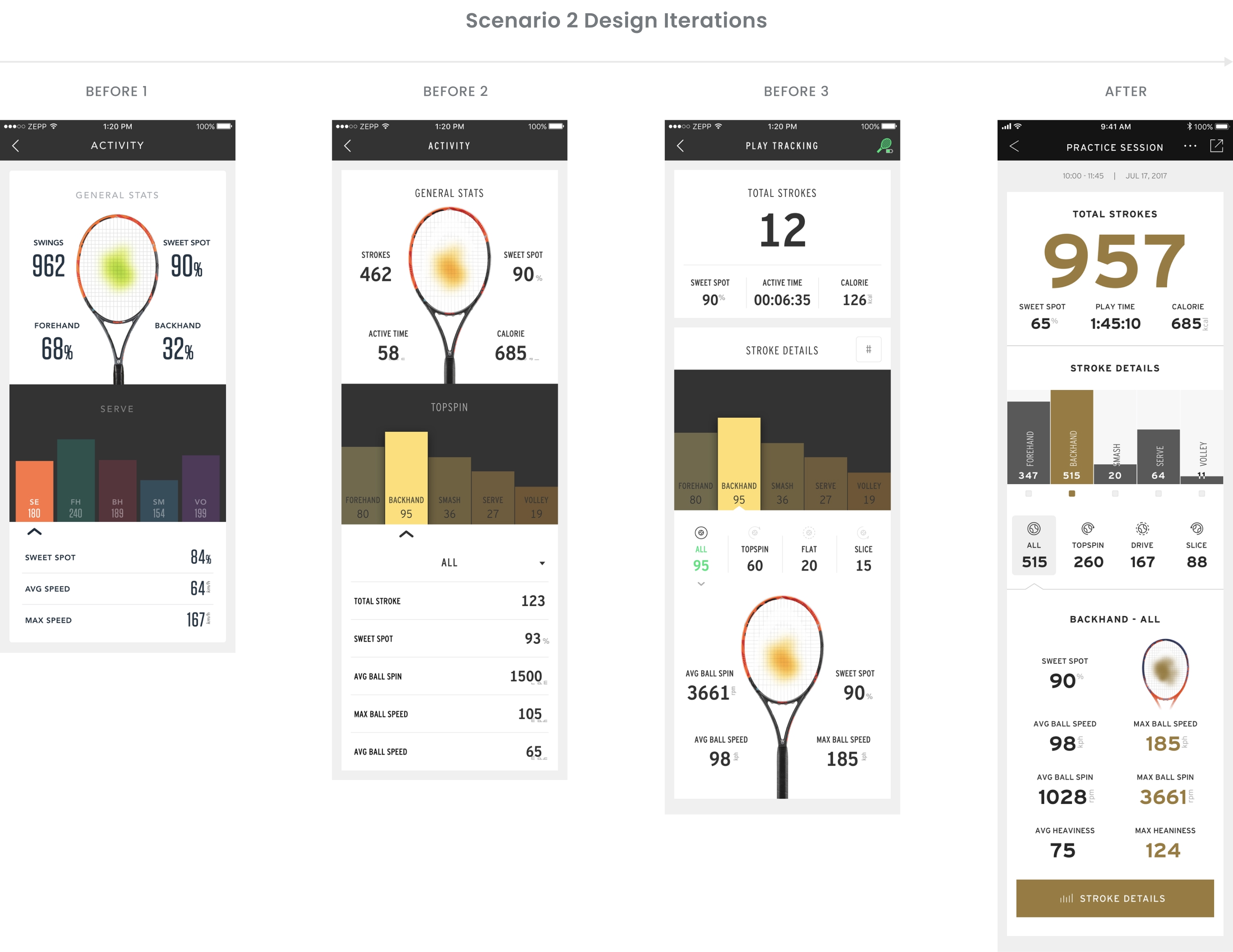
The session report is the key element of this user flow. We collaborated with tennis players to prioritize the metrics and make it easy for them to find and read the data that mattered most to them.
End Prototype
• A session report with a clear visual hierarchy.
• Users can access any of the 84 data points with just two taps.
DESIGN PROCESS
Scenario 3: Play in Phone-Free Mode
We discovered that many tennis players don't bring phones to the court, so we needed to design a way for users to save their sessions without interacting with the app.

User Needs
• Ability to start recording data without launching the app.
• Ability to save the data as a session whenever the app is launched.
• Ability to discard unwanted sessions.
Design Iterations
Our main focus during the iteration was on the data syncing process and providing context to help users make the decision to save or discard a session. We refined the design of the syncing status indicator and the clarity of the dialogue.

End Prototype
• Sensor connection status is always visible throughout the app.
• Popovers are used to avoid blocking the current user flow.
• Clear description of play data to inform the decision to save or discard a session.
FINAL DESIGN
Play Mode Overview
With the PLAY mode, every stroke counts. It delivers detailed information about each shot, provides well-organized session reports to track movement consistency, and features an instant stroke data dashboard that fosters communication between coaches and players.
VISUAL DESIGN
Design System
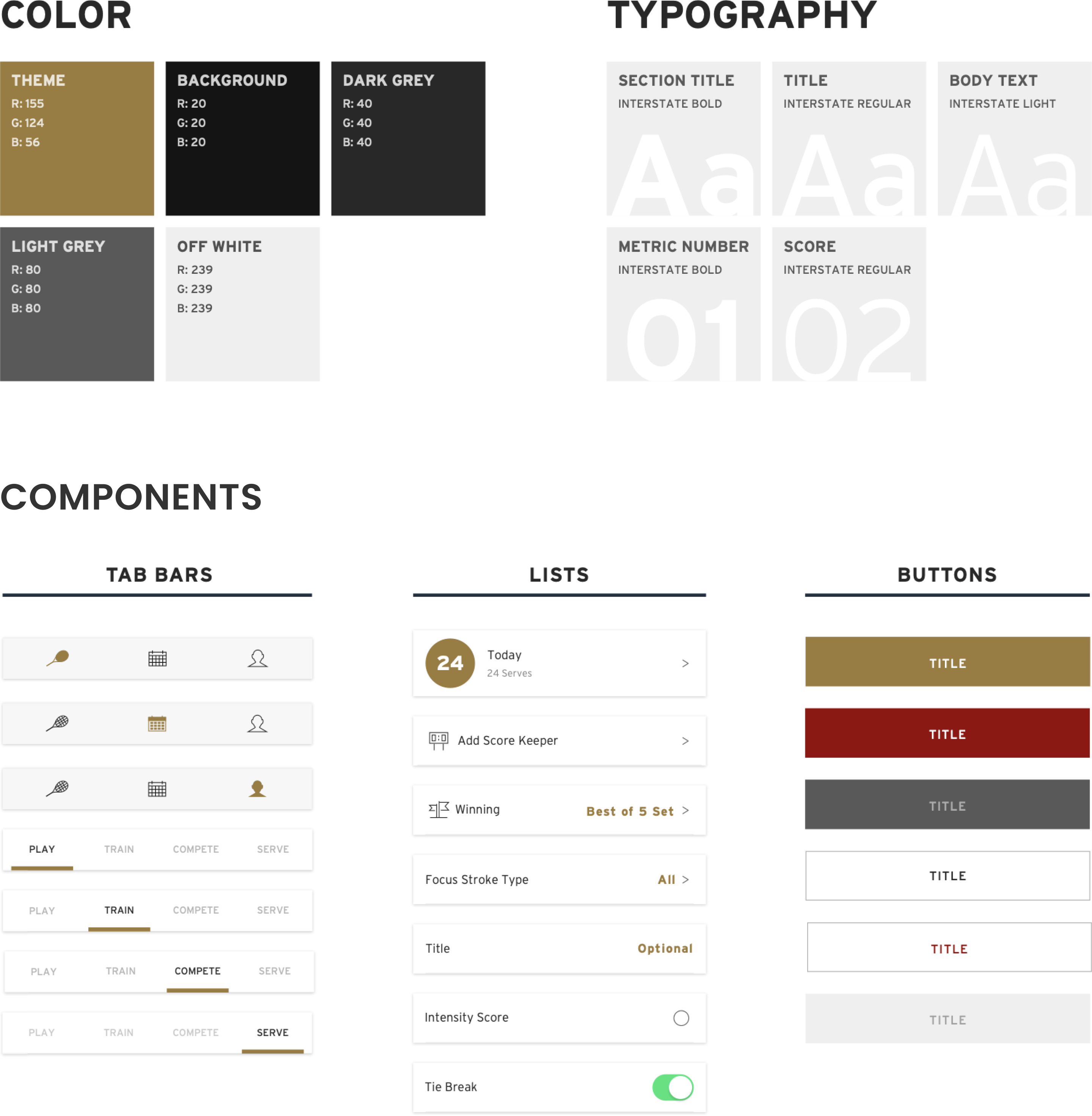
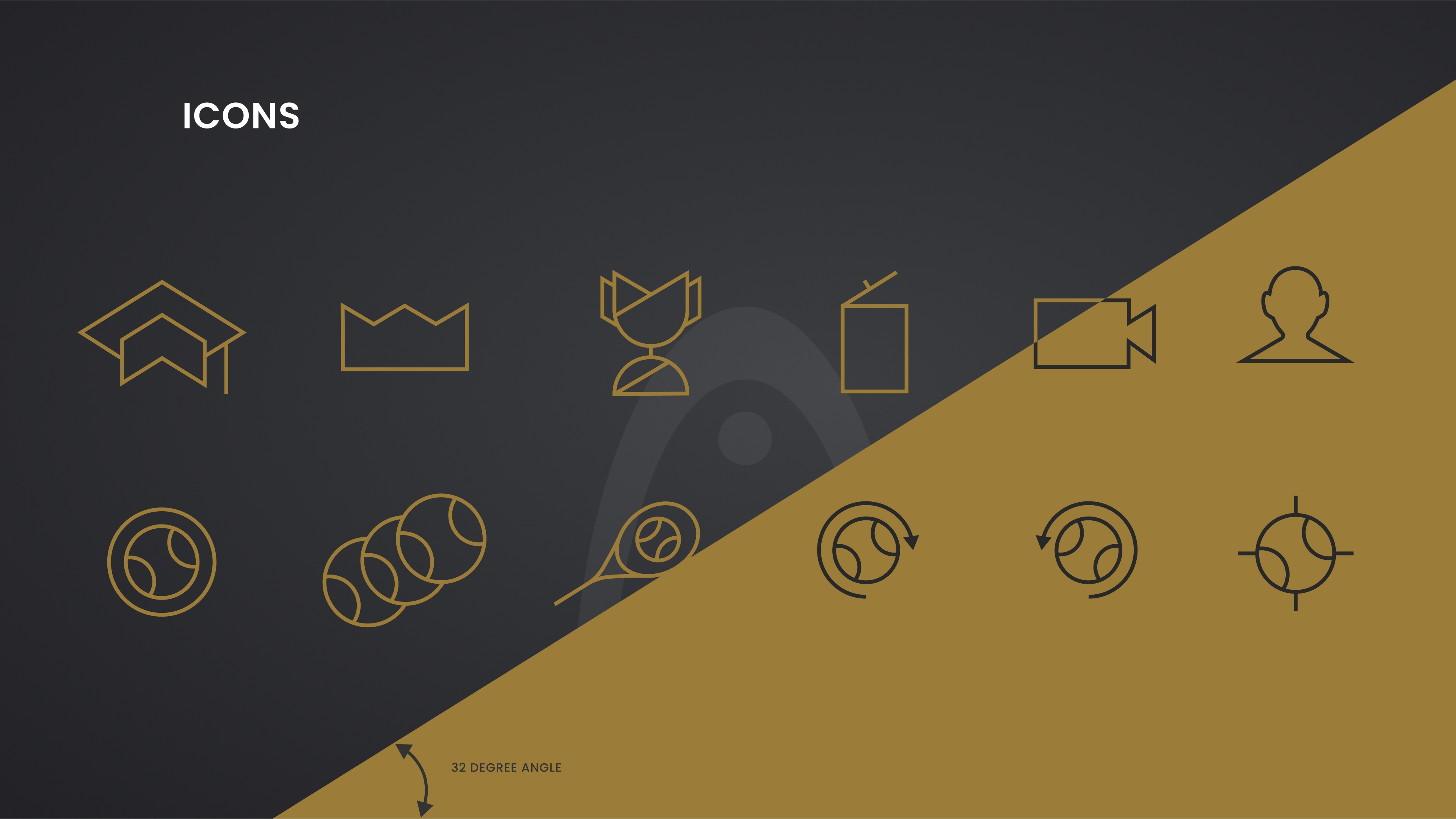
We worked closely with the HEAD marketing team to integrate the sense of accuracy and responsiveness from the sensor technology into the branding. Our suite of icons features consistent, precise, and simple designs that reflect this exploration, by incorporating the 32-degree angle throughout the design.
THE RESULT
3 Million Strokes Generated
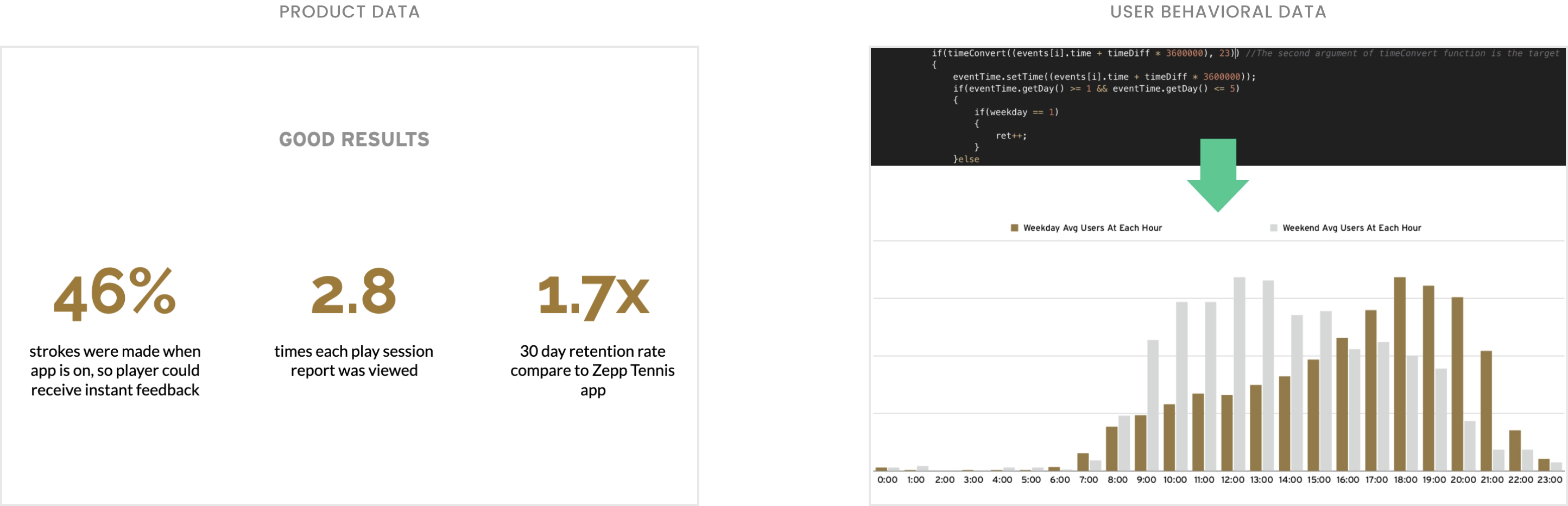
Within one month of the app's launch, we got 2.7k registered sensor users, significantly boosting sales of HEAD tennis racquets. Users generated a staggering 3 million strokes. Notably, each play session report was viewed an average of 2.8 times, demonstrating users' consistent engagement to track their progress.
THE IMPACT
Positive Feedback from Worldwide
Since the launch of this product, we have received positive feedback from users worldwide, who have shared their joyful experiences on social media. Additionally, coaches have shared their positive experiences with the sensor in their classes. I am proud that this product has benefited players and helped them gain confidence. You can watch player testimonials on our YouTube channel.

Takeaways
Things I felt proud of:
• Deep collaboration with the Head’s product and marketing teams.
• Taking the initiative to iterate on design decisions according to real user insights.
Things I wished I could do better:
• Setting a clear long-term product vision and developing a strategy to achieve it.
• Making better use of user behavioral data to inform future product iterations.