
Context
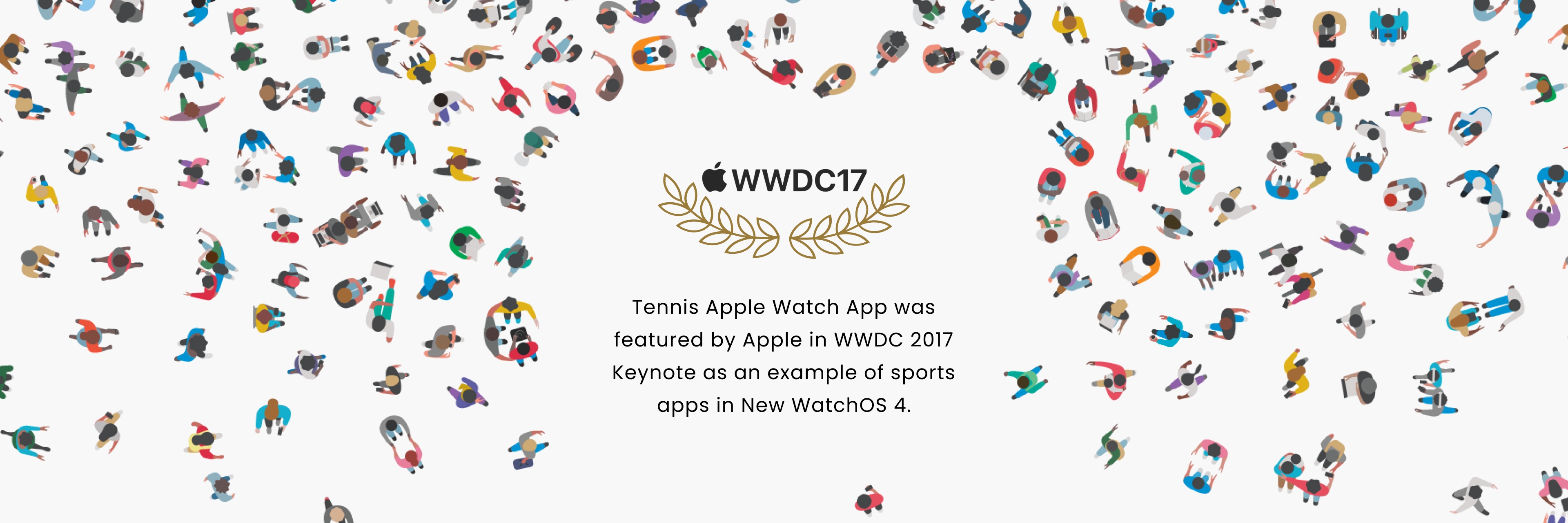
Tennis can be a challenging sport to master, but with the Zepp Tennis 2 Smart Sensor, Apple Watch can be your coach. While smartphones provide useful data, the Apple Watch presents a unique opportunity to bring real-time data closer to players while on the court. In 2017, the Zepp Tennis 2 Smart Sensor Apple Watch App was featured by Apple as a prime example of a sports app in their WWDC keynote.
My Role
As a product designer, I implemented the end-to-end UX&UI design and collaborated with engineering team to launch the product. Initially, the design director of ZEPP kicked off this secret project directly with Apple designers before WWDC.
Technology Opportunity
Leveraging Apple Watch's Bluetooth capabilities to connect with external devices
With the introduction of WatchOS4, Apple Watch can now connect directly to Bluetooth devices, opening up the possibility for the Zepp Tennis Sensor to provide real-time feedback to players on the court. By leveraging this technology, we can create a focused experience that provides immediate feedback to tennis players and helps them improve their skills during play.

Watch App Experience Differs From Mobile App
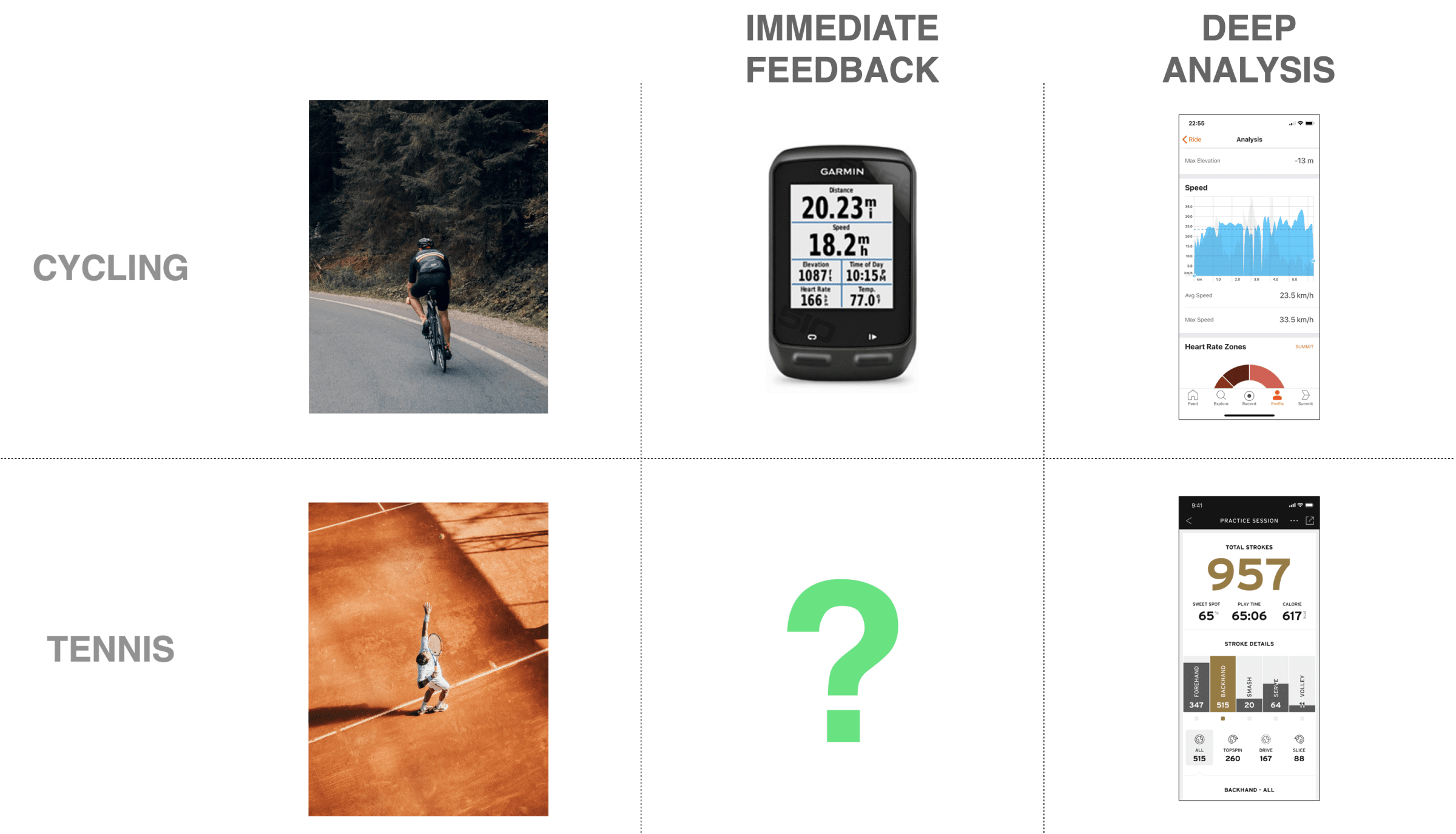
The Challenge: provide immediate feedback to tennis players without disrupting their gameplay
Design a "Sensor + Watch App" that provides tennis players with immediate feedback during a session, similar to a cycling GPS computer, enabling players to monitor their performance and improve their tennis skills on the court. The experience should be distinct from the existing "Sensor + Mobile App," which provides complete and in-depth analysis after a session.
USER RESEARCH
Uncover User Needs
Through on-court observations, we found that tennis players tend to store their personal belongings in lockers and don't check their phones during play, but they do wear their watches throughout the session. This confirmed our initial hypothesis that the Apple Watch app could bring sensor data closer to players. To further understand our users, we engaged with them to discover the problem space and co-create solutions together. Our key research questions were:
• Who are our target users and what are their typical scenarios?
• What information is most valuable to our target users?
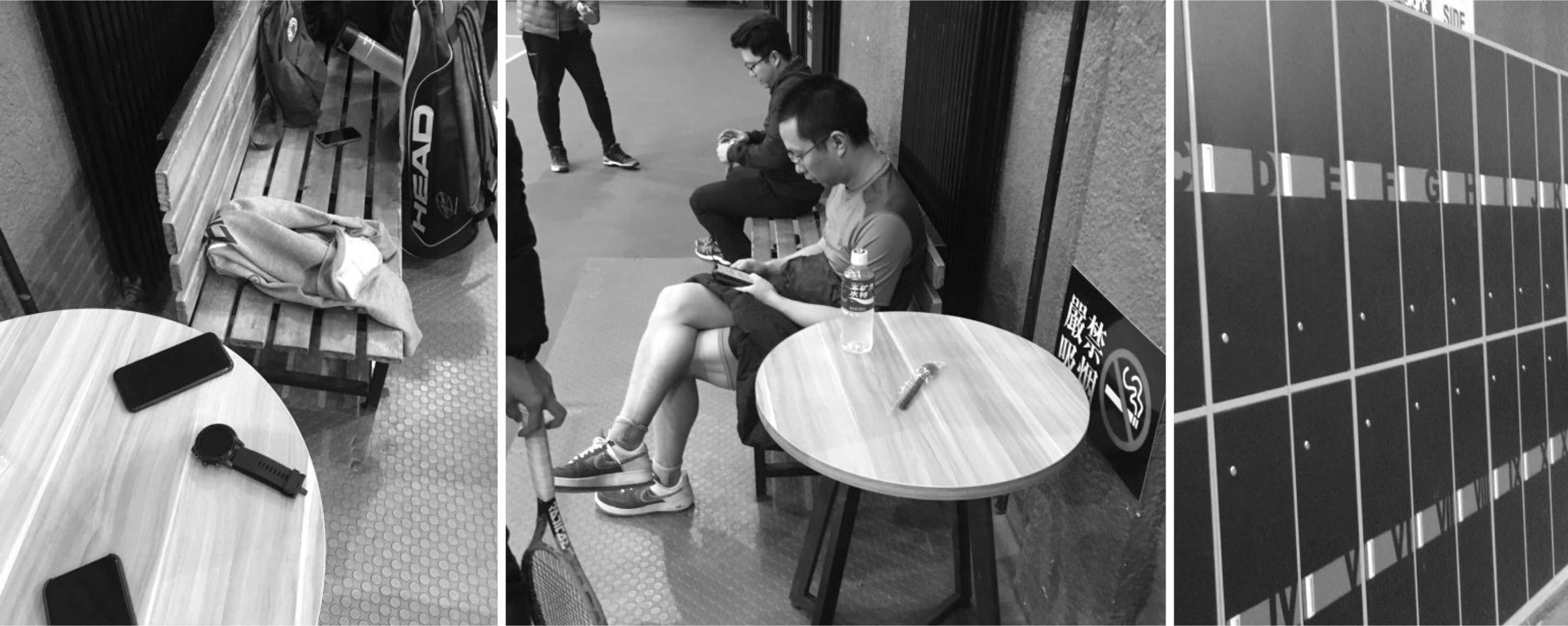
Field Research on Tennis Court
KEY INSIGHT
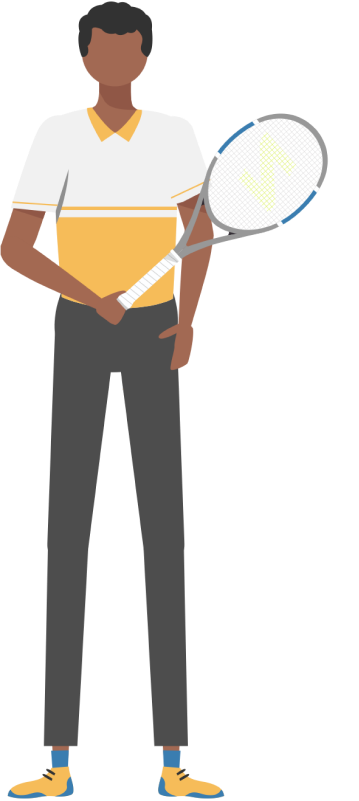
Identify Early Adopters: Tennis Hobbyists
Since most Apple Watch users are tech-savvy and play tennis as a form of exercise, our target users are tech-savvy Tennis Hobbyists who are early adopters of new technology.
TENNIS HOBBYISTS
• Tech-savvy tennis players who embrace new technology.
• Spend most of their time practicing serve in order to play and compete with their friends.
• Motivated by enjoyment, fitness, and social interaction.
Opportunity for immediate feedback during serve practice sessions
Tennis hobbyists spend most of their time practicing serve, which is a shot played without the opponent's influence and gives players an advantage at the start of a point. This scenario presents an opportunity for our Sensor + Watch App to provide immediate feedback to users during serve practice sessions, helping them improve their technique and accuracy.
Problem Statement
Reframe the Opportunity
How might we create an optimal experience for tennis hobbyists that provides real-time feedback during serve practice sessions?
Co-creation with Users
Identify the Most Valuable Data
Through a card sorting exercise, we prioritized the information that users care about the most. We found that, unlike professional players, tennis hobbyists value not only stroke data but also workout data like calories, as they play tennis as a form of exercise.
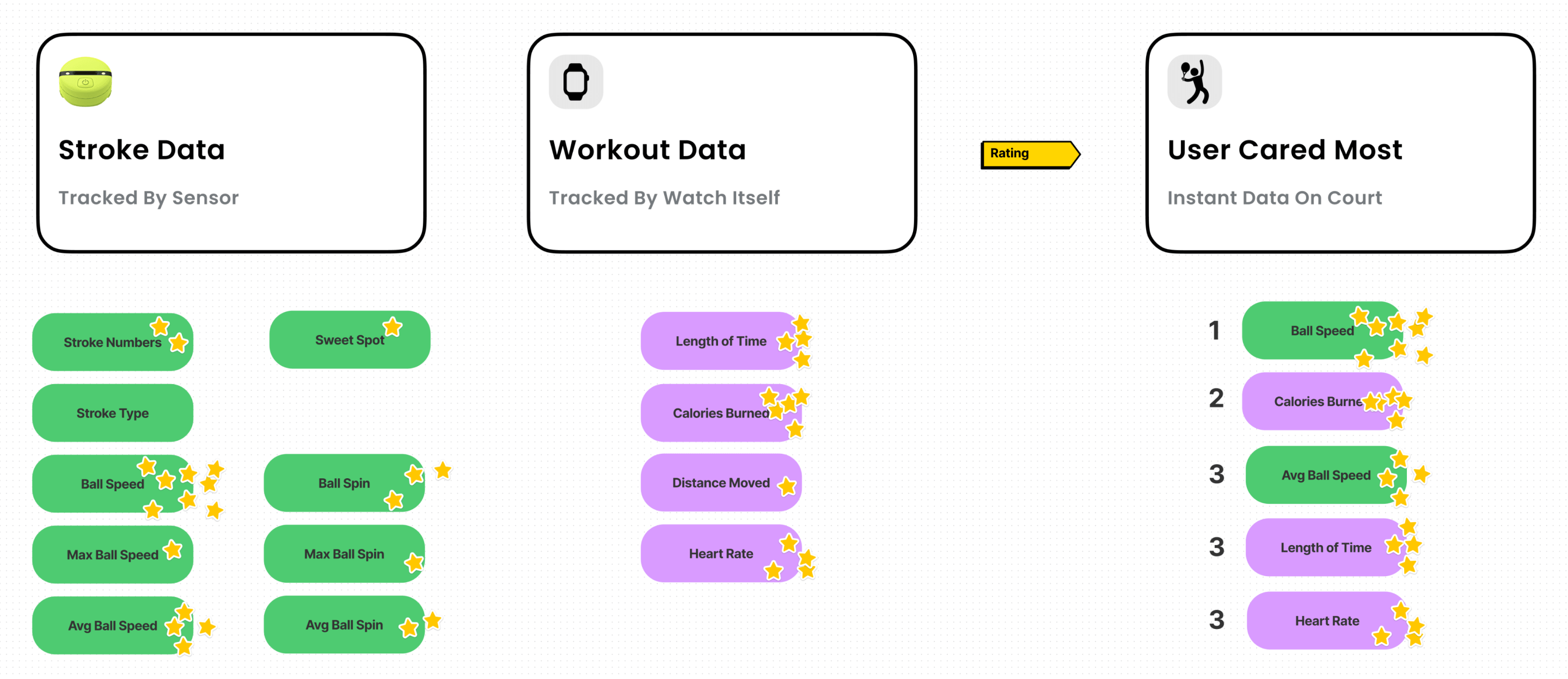
Card Sorting with User
DESIGN CHALLENGE
Deliver High-value Information through Glanceable Interactions

Given the short interval time between two strokes, even less than 1 second, the challenge is to present valuable feedback to users in a quick and efficient way without disrupting their play.
Design Principles

Glanceable
Given the data-intensive nature of tennis, the design prioritizes simplicity to provide the most relevant and actionable information on the watch face, where it can be easily viewed at a glance.
Lightweight
The design should be optimized to deliver timely information in a quick and effortless way, considering that interactions with the Apple Watch are measured in seconds.
DESIGN PROCESS
Design Iterations
We initially tried displaying all the user's desired data on a single screen but discovered that it overwhelmed them due to the short interval time. We attempted to split the data into two pages (Instant Stroke Data and General Session Data), but users still found it challenging to view at a glance.
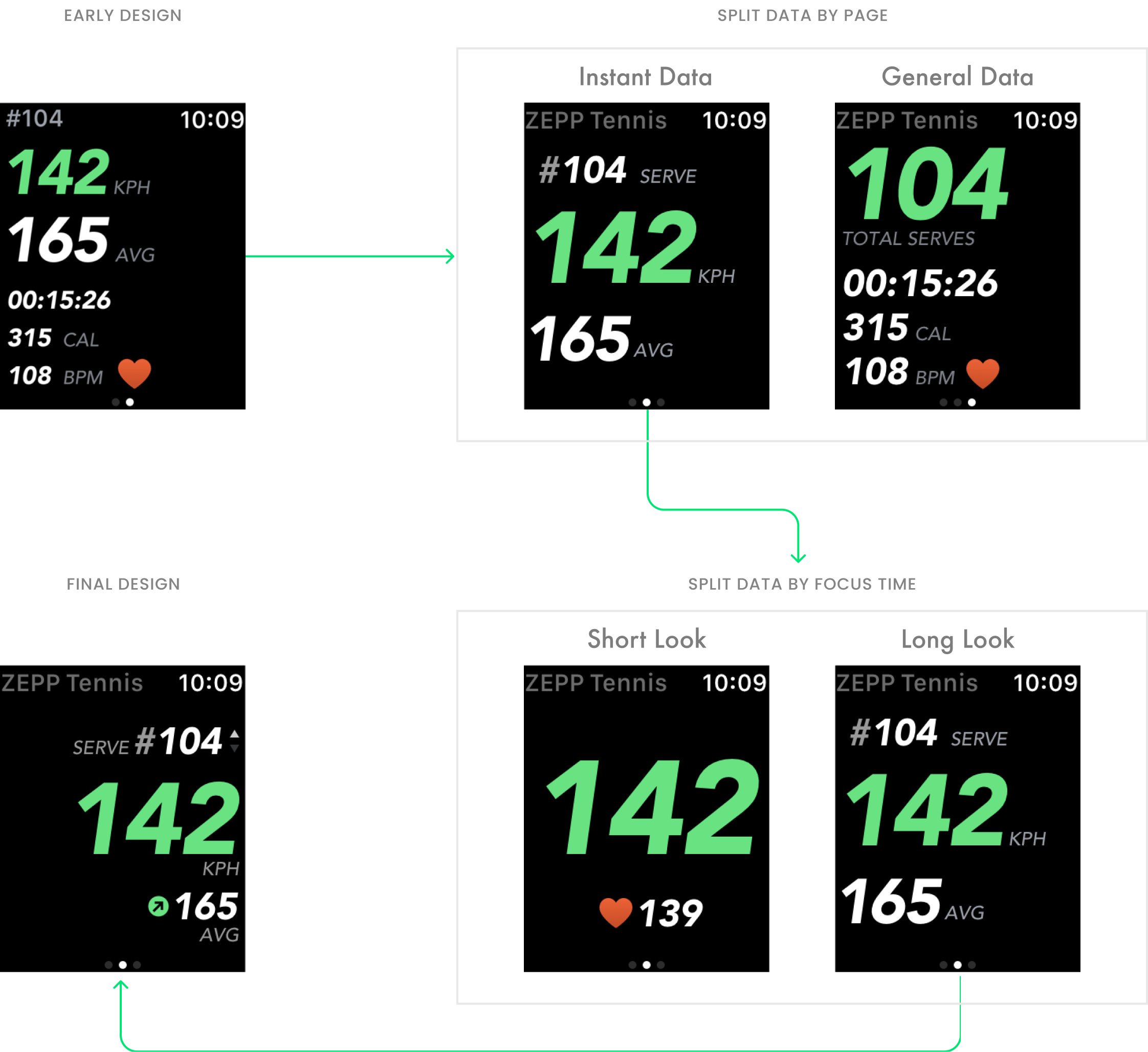
Iterations On the Information Design
Prototype Test
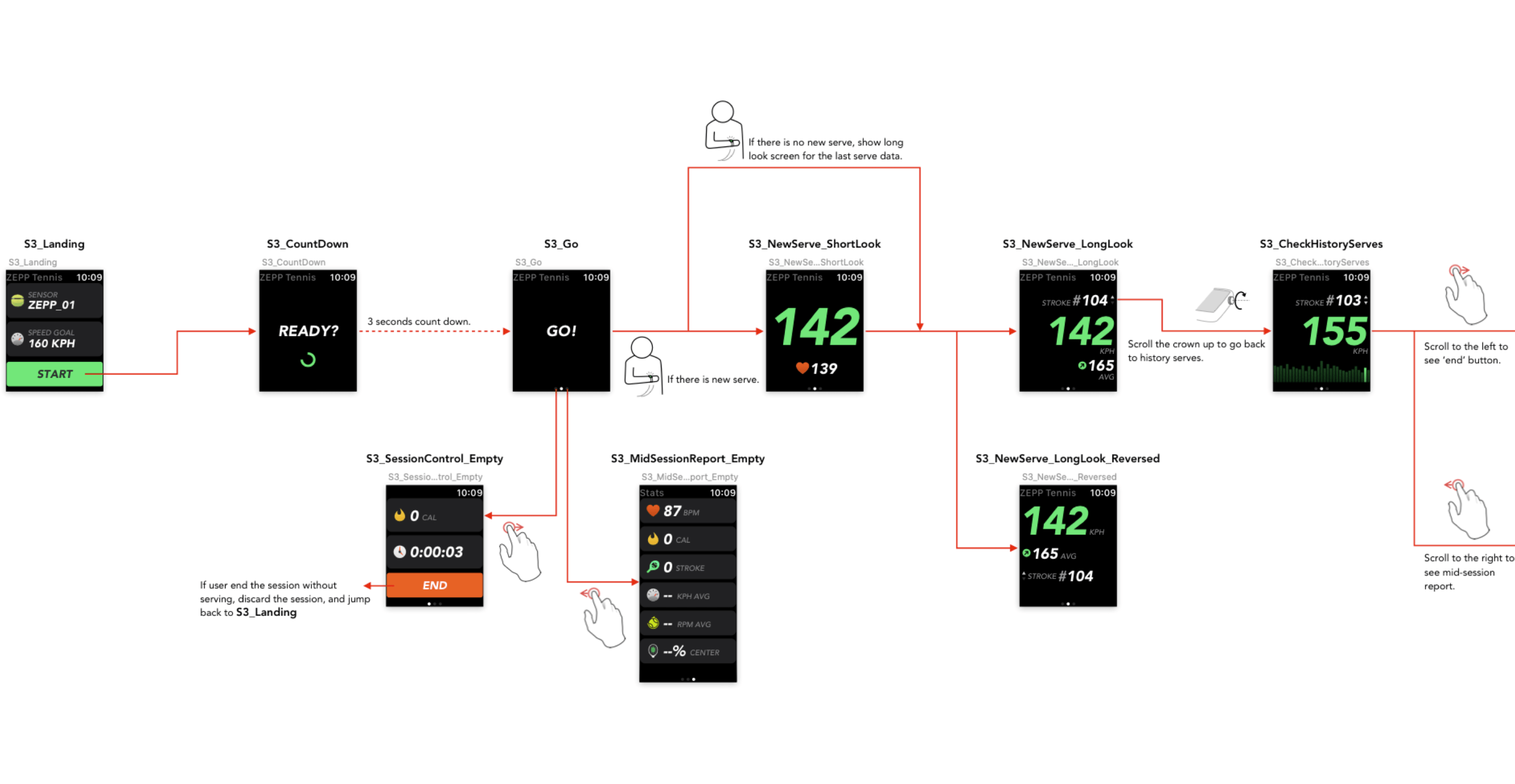
After several rounds of prototype tests, we developed a dynamic approach to displaying data in two stages: short look and long look. The short look, which appears when the user raises their wrist and disappears when lowered, contains only the essential information. The long look, which appears when the user's wrist remains raised, provides more detailed information.
DEMO: Short Look and Long Look
Accessibility Test
During testing with a broader user group, we discovered that the prototype only worked for right-handed individuals. For left-handed people, wearing the Apple Watch on the right wrist with the digital crown on the left bottom caused the current switch strokes interaction to fail. To address this, we refined the design to automatically reverse the layout when detecting the Apple Watch being worn on the right wrist.
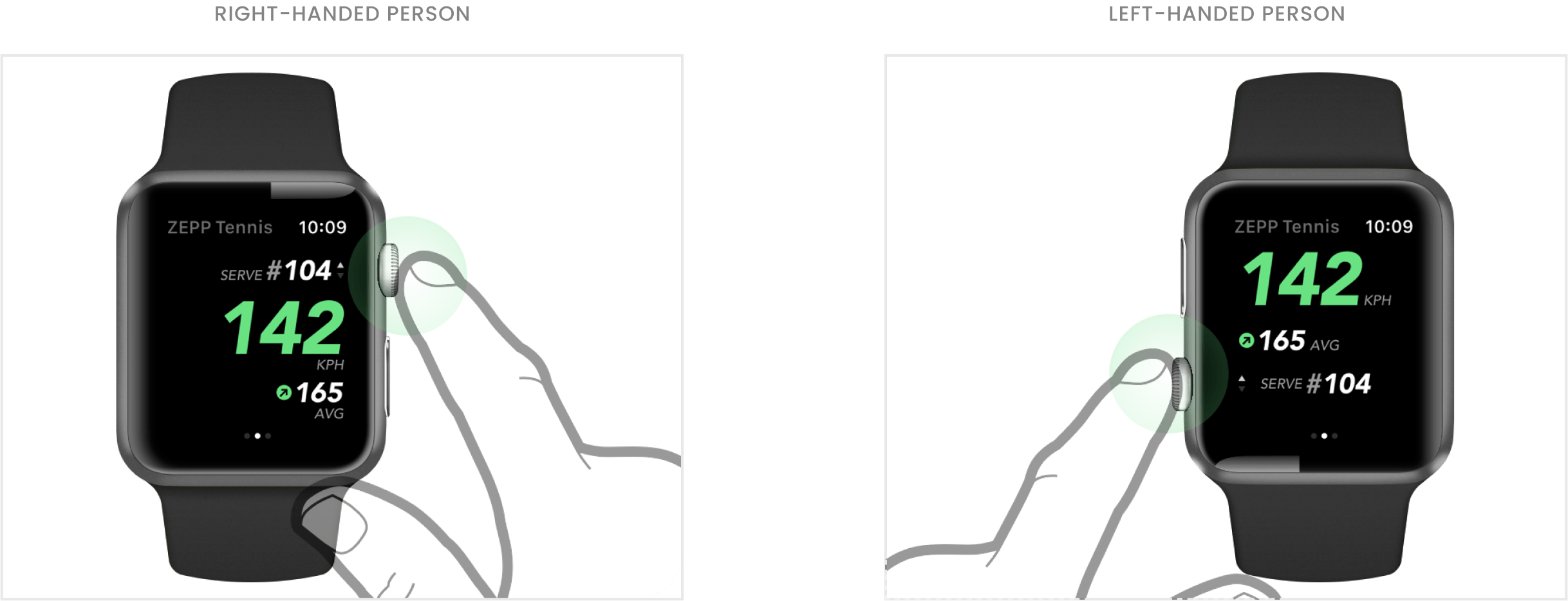
Final Solution
Hero Flow
With just one tap, the player can start tracking their tennis session. During the session, the most important data is displayed in a glanceable and lightweight way. After the session, a detailed report is provided to the player to gain deeper insights.

THE IMPACT
Featured on Apple WWDC
The Zepp Tennis Apple Watch App was one of the examples showcased by Apple to demonstrate the Watch's new Bluetooth capabilities during the WWDC 2017 event, which is a testament to the impact of the project. It is a proud achievement for everyone involved in the project.
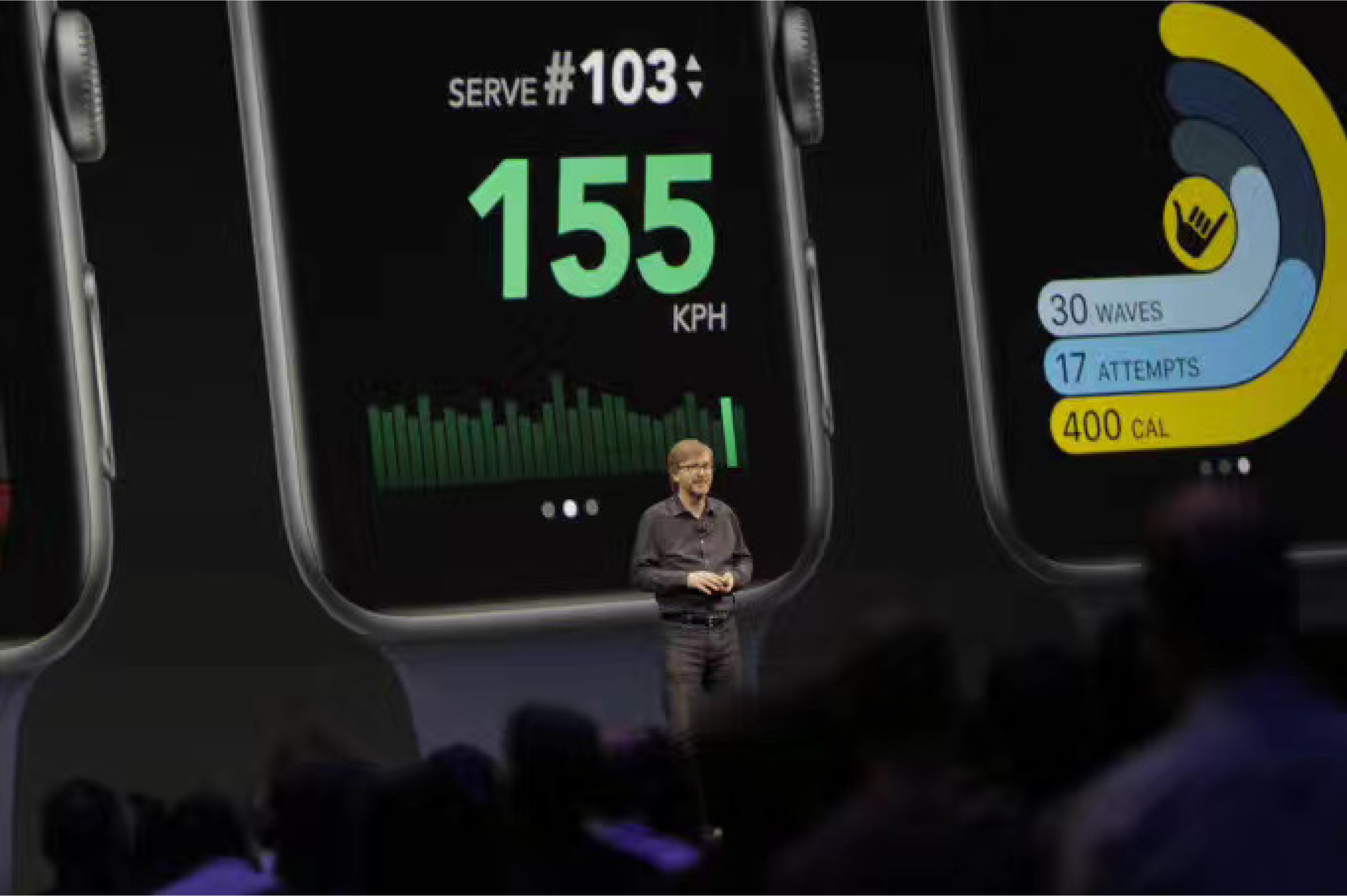
Image from Apple WWDC 2017
Takeaways
Stay adaptable in our approach to product design
As a product designer, it's important to recognize that not all product opportunities stem from existing human needs. This project highlights the potential for new technology to open up new opportunities. This means being flexible and adaptable in our design processes.